-
L
- Big post L
- great tier list - chris titus
-
Theory
- 0 - distros
- What’s a Distro? pre-made decisions for you
- A pack of software bundled together
- to streamline OS installation for people who don’t want to make decisions on it
- most derivative distros are kind of the same
- watch this
- There are exceptions like ubuntu but they’re not many at all
- most is just changing software that ultimately does the same thing but with different internals
- The real differences happen when you choose something from a different fork
- A pack of software bundled together
- tree
- for noobs
- general tips
- why linux - check if linux is right for you
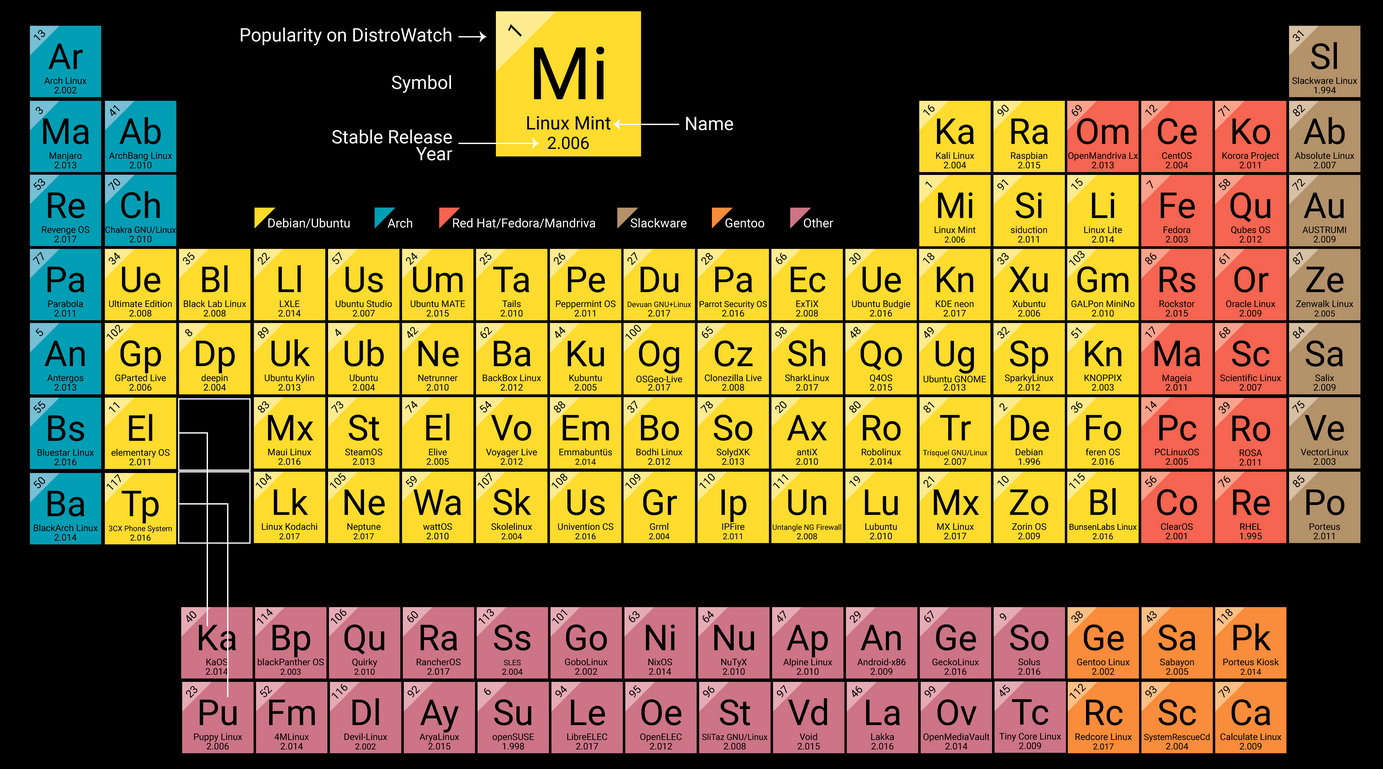
- popularity should be a very high criteria
- usually means more…
- stable dev team & distro
- tutorials, community, & resources
- avoid niche stuff with small teams
- usually means more…
- you can choose a complex distro BUT
- it’s most likely going to be miserable
- if you are non-technical and without much mental resilience for this stuff
- I chose arch as my first one but…
- I had solid motivations, time, exitement, technical knowledge, and research
- if you really want to do it
- I suggest setting up a virtual machine since I highly doubt you’re going to feel comfortable & productive learning a new OS while being inside it without your usual tools
- for that just use virtual box, I don’t like it but it’s a fast way to virtualize it
- see the whole Linux note
- why linux - check if it’s right for you
- arch lin - for choosing software
- there’s also my experience in there
- linux levels-iceberg - +motivation :P
- it’s most likely going to be miserable
- nooby friendly distros
- Linux mint - looks like windows
- best linux distro for beginners in my opinion
- ubuntu without the corporate shenanigans
- Pop OS
- developed by system76’s internal dev team
- decent amount of resources but in any case ubuntu/debian ones should apply here to a great extent
- ubuntu
- n
- they seem to demonstrate some big corp bad practices
- snaps are… not ideal
- probably the easiest distro to install & use
- one of the most popular distros hands down
- focuses a lot on beginners
- uses wayland by default
- great support for hardware
- n
- based on ubuntu -less popular but still valid
- Fedora
- cons
- not based on debian/ubuntu, it’s its own thing so less resources
- patent issues =
- Proprietary media codecs (MP3, H.264, AAC, etc.) aren’t included by default.
- Some hardware drivers (like NVIDIA’s proprietary driver) aren’t in the official repos.
- to solve enable RPM Fusion (free + nonfree repos), which gives you access to those codecs and drivers
- if you are ok with the cons, it might be one of the best distros out there
- even bigger community than PopOS
- backed by redhat company
- you get recent software but also stability
- fedora is the upstream of RHEL
- wayland by default
- cons
- based on arch
- manjaro
- n - can fall into dependency hell
- Manjaro holds back packages from the official arch repo to test them for stability, but that can create problems if you also use the AUR
- the AUR expects packages to be as updated as the normal Arch ones, not holded back…
- it’s arch-based so you’ll have to learn some basics
- Manjaro holds back packages from the official arch repo to test them for stability, but that can create problems if you also use the AUR
- still relatively popular
- n - can fall into dependency hell
- endevourOS
- some think it’s manjaro if it was done correctly
- great installer
- manjaro
- android, lol
- Linux mint - looks like windows
- general tips
- for professionals
- generally
- follows simplicity vs complexity order
- there are other options w similar identities
- but these tend to be the most popular ones for such identities
- generally
- BSD - opposite of debian, execution is everything
- more niche but gold standard on…
-
- Networking & Security
- Reliability
- Storage appliances
- Enterprise IT
- Debian (& ubuntu)
- simplicity, breadth/flexibility, & speed > perfect execution
- very well integrated in linux & cloud ecosystem
- web server
- startups - fast iteration
- arch lin-based - techy people who needs a desktop
- Most likely a power-user or someone with confidence issues
- Possibly the best desktop OS (for techies)
- Best for people who want the system to act exactly like they want
- Not as professional
- everything is possible here but patience isn’t infinite
- macOS - most biased opinion ever
- mix personality usually makes it mediocre
- Might be better for professionals than windows but not than arch
- worst simplicity than windows but better than arch
- where it stands between simple and complex it’s annoying
- Not preferred/avoided in medium/large corps
- IT dep doesn’t like it - harder to lock down
- medium/large-size agencies needs control that’s hard or impossible to set on macOS compared to windows/linux from a security/permissions standpoint
- that alone means that the IT department doesn’t like it much, most likely won’t use it, and will enfore windows/linux whenever possible
- enterprise tooling often prefer windows/linux
- tends to be more expensive at scale
- even apple itself
- doesn’t use macOS for infrastructure
- has deprecated their server OS
- Most popular MDM software solutions…
- Costs
- Not really scriptable apart from Jamf
- Needs to be used from macOS itself
- inferior to windows/linux solutions in terms of control
- IT dep doesn’t like it - harder to lock down
- when it’s preferred
- Design teams
- Executives (personal preference)
- Startups/small agencies
- BYOD culture, less rigid IT policies
- corporate shenanigans even worst than windows
- mix personality usually makes it mediocre
- Windows OS - jack of all trades master of very few
- best at
- simplicity - including desktop for non-techy
- gaming
- can do almost everything but worst than the options above
- corporate shenanigans level 9000 btw
- best at
- What’s a Distro? pre-made decisions for you
- 1
- tech setups - many ways to use/access/replicate an OS
- software dev models
- rolling release - updates as soon as ready & tested
- unstable
- it is changing often
- if it breaks check arch changelogs
- pkgs still get tested
- more stable if
- u don’t use envs like KDE
- if u install piece by piece you have less software & complexity that’s also independent between each other
- not thinkering - u don’t change stuff from defaults
- don’t use many of AUR pkgs
- u don’t use envs like KDE
- it is changing often
- don’t have to re-install system, just update
- great for hardware compatibility
- latest software versions
- cons
- you need to update stuff at least 1 time a week - src
- you can’t really specify version number to get help
- details - it has no
- version numbers (at most there’s date or kernel ver)
- fixed release cycles
- end-of-life dates
- unstable
- stable release
- details
- core software/libraries kernel on majors releases
- security, patches, on minor releases
- it has version numbers
- cons
- no “cutting edge” software
- if there is problem, need to wait more for fix
- eventually you’ll version will meet end-of life
- some distros need you to re-install, no upgrade
- details
- rolling release - updates as soon as ready & tested
- 2
- install guide
- need to disable encryption on the disk in use
- doesn’t matter if you delete volumes
- the encryption will stay, at least for bitlocker
- doesn’t matter if you delete volumes
- need to disable encryption on the disk in use
- install guide
- Extras
- check FSF - highest standard of free software, to a fault
- niche theory
- immutable
- The OS or
/partition is read only- The modifications you do become a layer on top of the sys files, they don’t get overwritten
- helps preventing you breaking the system
- security - harder for malware to modify sys files
- immutable distros are also atomic
- eg Fedora Silverblue
- The OS or
- Atomic
- the system updates as a single, all‑or‑nothing replacement
- If the update succeeds, the system boots into it; if it fails, it rolls back automatically.
- Goal: guarantee that the system is never left in a half‑updated, broken state.
- immutable
- 0 - distros
-
Options by use case
- OG - Linux
- Gentoo
- void linux - no systemd, 2 pkg manager
- has void installer
- not a fork
- pkg manager & build system from scratch
- pkg managers
- binaries
- compile from source
- XBPS (X Binary Package System)
- efficiency and the ability to handle partial upgrades
- allows users to roll back certain packages
- philosophy
- separates free & non-free into different repos
- minimalistic & efficient - runit & fast pkg managers
- no AUR but community driven
- all packages in its official repositories are vetted and maintained by the Void team & community
- arco linux - maybe unmantained at this point
- 3 branches + extended version with all window managers
- bloated (main philosophy?) & minimal version & custom
- great installer
- with many options about third party software
- doesn’t care about closed source -
- with many options about third party software
- arco linux tweak tool -
- 3 branches + extended version with all window managers
- Privacy
- tailsOS
- qubeOS
- whonix - virt machines that looses memory like tails
- lightweight/minimal - I’d still go to minimal arch though
- alpine OS* - reigns supreme
- main problems as daily driver
- not intended for GUI
- X it’s expected for some software
- no glibc full compatibility
- no systemd
- if you’re doing anything with containers, services, or automation, you’ll need to adapt.
- especially bcs of systemd
- limited prebuild packages
- ~20mb ram usage idle
- security, simplicity & resource efficiency.
- use cases
- Ideal for
- containers, embedded systems, low-resource devices, & servers
- not really intended to be used w GUI
- Ideal for
- different toolset than most other OS
- musl libc - no glibc (C Library)
- busy box - GNU coreutils
- open RC - no systemd
- apk - package manager
- Resources
- storage
- Base image is ~5 MB
- compared to 100–200MB for Ubuntu/CentOS
- installation to disk requires ~130MB
- container requires no more than 8 MB
- Base image is ~5 MB
- Boots fast
- consumes minimal RAM and CPU.
- storage
- security
- compiles all userland binaries, all outside the kernel w…
- SSP - stack smashing protection - overflows tripwires
- small, random value (the “canary”) is placed on the stack before the return address
- If a buffer overflow tries to overwrite the return address, it will also overwrite the canary
- Sys checks canary before returning from a function
- if it’s been changed, the program crashes instead of executing malicious code.
- PIE - Position Independent Executables
- userland binaries are compiled as
- code can be loaded at any memory address.
- enables Address Space Layout Randomization (ASLR) — a security technique that randomizes where code is loaded in memory.
- If an attacker tries to exploit a vulnerability (like a buffer overflow), they can’t predict where to jump to — because the memory layout changes every time.
- n
- less pkgs available
- main problems as daily driver
- Antix - 300mb ram idle - no systemD, debian, 32bit
- Lubuntu - 500mb ram idle - lightweight ubuntu
- Ram src

- Ram src
- Peppermint - 652mb ram with xfce idle
- Tiny core - smallest graphical env distro, not really usable
- boots from RAM!
- not secure and certaintly not as much as alpine
- LFS - Linux From Scratch - potentially
- alpine OS* - reigns supreme
- enterprise/server
- Proxmox and…
- company backed + support
- ubuntu server
- predictable LTS schedule (2 years)
- spyware+bloat? going into non-free direction?
- redhat (RHEL Red Hat Enterprise Linux)
- suse enterprise
- windows server…
- mostly for…
- active directory
- printers/devices w only windows drivers
- web servers
- mostly for…
- ubuntu server
- debian
- non consistant schedule for LTS
- no company backing it up (neither their support)
- less cutting edge but one of the most stable
- doesn’t really matter if you use containers
- openBSD
- better network stack?
- no containers here…
- Alma linux - CentOS w/o redhat
- SUSE
- Archived
- CentOS - discountinued foss version of redhat
- company backed + support
- archived
- centOS - based on redhat - sadly not an option anymore
- Proxmox and…
- very specific
- phones-mobile
- Router
- switch
- NAS
- True NAS
- ew
- free NAS - ZFS as filesystem
- freeBSD as it’s base
- paid
- free NAS - ZFS as filesystem
- E-reader - E-ink device
- pen testing - why not just building it from debian?
- Kali linux - debian with pen test bloat
- parrot - debian with pen test software
- gaming
- steamOS
- apple devices
- asahi linux
- Utility
- USB based
- ventoy - add multiple ISOs to same USB (bootable!)
- netboot.xyz - boot from network
- Medicat - OS w 20GB of tools for USB
- USB based
- Whole custom OS
- mostly for research
- plan 9 - tried to see something beyond unix
- meh
- nixOS - unnecessary for most people
- Artix - arch but w/o systemd
- can choose runit, opernRC, or r6
- clean linux - fast if using intel
- slackware -
- solus - new desktop env
- No - Windows OS - MacOS
- OG - Linux
-
Options by dev model
- sr
- Debian - nooby friendly - yearly release cycle
- fedora - company backed semester release cycle
- for debian users who can’t stand having pkgs that old
- ubuntu
- popOS
- mintOS
- rr
- arch
- manjaro
- artix
- void linux
- parent distros
- slackware - old
- Debian
- Arch
- redhat
- SUSE - company backed
- android
- gentoo
- freeBSD
- openBSD
- sr